
Manual Pulse vibrating metronome
Understand every detail.
Important: Do not pair Pulse in your phone's Bluetooth settings first. Always connect it from inside the Soundbrenner app. If it already appears in your phone's Bluetooth settings, remove or forget it there first, then reconnect it in the app.
At Soundbrenner we firmly believe success is not given, it's earned. This is true for musicians, but also for companies.
We went to great lengths to ensure the product you’re holding was made to the highest standards. We care deeply that it becomes an irreplaceable companion on your musical journey.
If you experience any issues, our team will work hard to put a smile back on your face. We’re just an e-mail away.
The best way to get started
This video is the ultimate crash course to learn everything you need to know about how to use the Pulse in the shortest time possible.
Important: Do not pair Pulse in your phone's Bluetooth settings first. Always connect it from inside the Soundbrenner app. If Pulse already appears in your phone's Bluetooth settings, remove or forget it there before reconnecting it in the app.
In the box
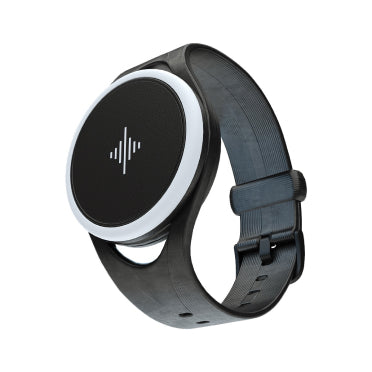
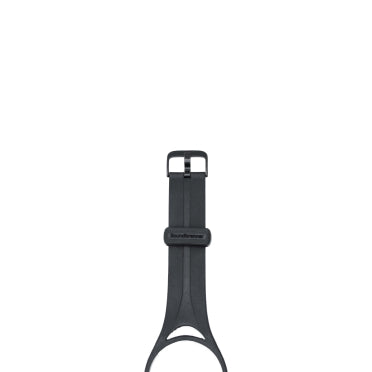
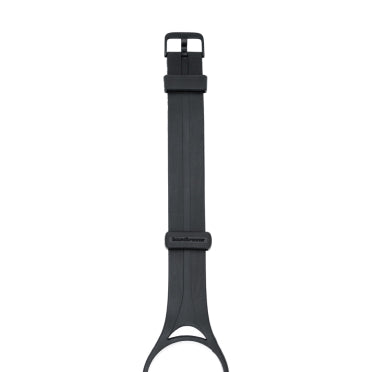
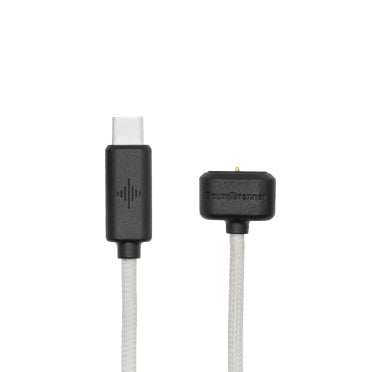
Tech specs
Size
Weight
Case material
Band material
Band size
Water resistance
Battery
Connectivity
LEDs
Capacitive touch
Compatibility
Vibration motor:
BPM range:
Rhythm options:
Customization options:
Wearing positions:
Control options:
Multi-player sync:
Tap tempo:
Charging
After taking the Pulse out of the box, charge it for at least 30 minutes before first use. A full charge takes up to 2.5 hours and provides an average of 6 hours of metronome playback.
Plug the charger into any computer USB port or use a USB wall adapter, including those supplied with a smartphone or tablet. Then align the cable’s magnets with the charging port on the Pulse.
While charging, the soundwave slowly pulses orange. When charging is complete, the soundwave turns solid green.
Do not store your Pulse for extended periods (over 3 months) with an empty battery, as this may cause permanent battery damage.
When your wearable is not in use, its battery slowly discharges over time. If the device is left unused for an extended period (for example, 3 months or longer), the battery may over-discharge. This can cause permanent damage to the battery’s electrodes and active materials. In severe cases, the battery and the wearable may stop working entirely. This behavior is typical for all modern lithium batteries.
To prevent this, charge and discharge the battery at least once every three months to keep it in good condition. If you use your wearable regularly (for example, at least once per week), you do not need to take any special steps to maintain the battery.
What happens if the battery in my wearable is permanently damaged?
Currently, the battery in our wearables cannot be replaced. This is not an intentional design choice. Adhesives are used in the construction to improve water resistance. Opening the device would damage many of the internal components, which cannot be reused.
Making batteries replaceable in future products is an important goal. However, achieving this in a small and tightly packed device, similar to a smartwatch, is a complex engineering challenge.
If you believe the battery in your wearable has been damaged, please contact our support team and we will do our best to help: contact support

App & compatibility
Download our app on the product page.
Requires an iPhone, iPad, iPod touch, Android device, or Mac with Apple silicon. See the app manual for details.
Inserting it into the band
Insert one side of the Pulse into the band. Then pull up the opposite side of the band until it snaps into place.

Using the touch surface
The Pulse uses a capacitive touch surface to register your inputs. For best reliability, follow these tips:
- Always use two fingers placed flat across the surface. Do not use just your fingertips.
- Touch the surface briefly for each tap.
- Make sure you are wearing the device when using the touch surface. The sensor works best when it is in contact with your skin.

Powering it on and off
To power your Pulse on or off, twist the ring at least 1/4 turn in either direction, then hold the touch surface with two fingers for two seconds. Make sure you are wearing the device before powering it on.
The soundwave light stays on while the device is powered. After you finish playing, power off your Pulse using the same procedure.

Interactions
Start or pause
Tap the soundwave twice quickly to start or pause the metronome.

Tap tempo
Tap the soundwave three times or more at a steady pace. Pulse will set a new tempo that matches the average speed of your taps.

Change the tempo
Turn the wheel to make fine adjustments to the tempo.

Where to wear it

Where you wear the Pulse on your body can have a big impact on your experience, and the best position can vary for each musician.
The included short and long bands allow you to wear the Pulse on your wrist, arm, or ankle. During your first few sessions, try different positions to find what works best for you.
Make sure to keep the band snug. A tighter fit will make the vibrations feel stronger.
The hooks on the long band allow you to easily slide it over your arm.

Did you know we also offer a body strap for the chest, shoulder, or thigh? It allows you to feel the beat even more clearly. You can find it here:
How to feel the beat
Using a vibrational metronome feels different at first. When you start using Pulse, give yourself some time to get used to it. Don’t give up. You will improve with practice, just like when learning to use a traditional metronome.
Over time, the vibration can become a subconscious cue that helps you keep the beat without thinking about it.
Using the companion app
Because every musician is different, you can customize Pulse to your preferences using our app.
To customize or turn off the lights and vibrations, open the mobile app and go to Settings → Pulse settings → Lights or Vibrations. Try different vibration intensities and durations to find what works best for you.
If Pulse is visible in Bluetooth settings but does not vibrate correctly, does not reconnect, or does not respond to tempo changes, remove or forget it in your phone's Bluetooth settings and reconnect it from inside the Soundbrenner app.
On Android, stable connection may require Nearby devices permission, disabled battery optimization, and allowed background activity for the Soundbrenner app.
For more information on how to use the app, refer to the app manual.

Multi-player sync
The Pulse can be synced with other wearables by connecting them to the same mobile device. You can sync up to five devices, allowing everyone to feel the beat together.
Pulse can only actively connect to one mobile device at a time. If you want to use a different phone or tablet, first remove or forget it from the previous device, then reconnect it in the Soundbrenner app on the new device.
Open the Soundbrenner app on the mobile device you want to use for syncing. Then navigate to Settings → Add a wearable.
Troubleshooting
If your Pulse is visible in Bluetooth settings but does not vibrate correctly, does not reconnect, or does not respond to tempo changes, remove or forget it there and reconnect it from inside the Soundbrenner app.
If your Pulse is not responding, restarting the device will usually resolve the issue.
To restart the device, first remove the band. Locate the small round hole in the recessed area normally covered by the band. Insert a pointed object, such as a needle, into the hole. If the restart is successful, the device will briefly light up.

Compliance
Warning: medical conditions
If you currently have a medical condition or have a history of medical conditions that may be affected by the Soundbrenner Pulse, consult with your physician before using the product. Medical conditions include (but are not limited to):
- White Knuckle Syndrome
- Hand-Arm Vibration Syndrome
- Blackouts
- Epilepsy
- Postural Hypertension
- Allergic Reactions to Silicone
- Any other heart, neurological, or skin conditions
Warning: medical device interference
If you use any medical device that may be affected by the Soundbrenner Pulse, consult with your physician before using the product. Medical devices include (but are not limited to):
- Coronary Stents
- Defibrillators
- Pacemakers
- Any other implanted medical device
Stop using the Soundbrenner Pulse if you suspect that it is interfering with your medical device or if you experience any discomfort.
Warning: frequent and prolonged usage
Frequent and prolonged use of the Soundbrenner Pulse may cause skin irritation in some users. If you experience itchiness, redness, and/or swelling while using the Soundbrenner Pulse, remove the device immediately and stop using it until your skin returns to normal. Consult your doctor should any of the symptoms persist.
Caution: electrical equipment
Your Soundbrenner Pulse and its charging cable are electrical devices and should be handled with care. Never use your device in extremely low or high temperatures.
Substances in this product and battery may harm the environment or cause injury if handled or disposed of improperly.
Remove your Soundbrenner Pulse if it feels warm or hot.
Caution: magnets
The Soundbrenner Pulse and the charging cable contain magnets. All credit cards, key cards, and any other object containing a magnetic stripe should be stowed safely away from those products.
Caution: batteries
Use only an authorized Soundbrenner charging cable to charge your device to avoid any safety or electrical hazards.
Do not attempt to change the battery on your own. This will void the warranty and could cause injury.
Always disconnect the charging cable from the electrical socket as soon as your device is fully charged.
Never charge your device when moisture is present.
Never put your device or charging cable near any inflammable or explosive materials.
Caution: water
Even though your Soundbrenner Pulse is sweat proof, it should never be submerged in water under any circumstances.
Do not use your device in the rain or in wet environments for prolonged periods.
Our warranty terms are available here.
Our app's privacy policy is available here.
Our app's terms of service are available here.
Dispose of this product at an appropriate electronics recycling center to support sustainable reuse and resource conservation.
Soundbrenner Limited hereby declares that this product complies with the essential requirements and all relevant provisions of Directive 1995/5/EC.
The product complies with part 15 of the FCC rules. Operation is subject to the following two conditions: They may not cause harmful interference. They must accept any interference received, including interference that may cause undesired operation.
FAQs
Pulse charges over standard 5V USB and needs only 0.2A (200mA) to reach full charging speed.
That means almost any normal USB power source will charge it at full speed, including:
- Computer USB ports
- Wall chargers
- Portable battery packs
It is also safe to use a charger with a higher current rating. Pulse will draw only the power it needs.
Pulse is sweat resistant, but it is not waterproof. Avoid rain, splashes, and especially submersion, as water exposure can damage the device.
Pulse firmware updates are installed through the Soundbrenner app.
- Open the app and sign in to your Soundbrenner account.
- Connect your Pulse and open its settings.
- Tap Software updates or Firmware update.
- Follow the on-screen instructions and wait for the update to finish.
The update can take up to 15 minutes. Keep the app open until it is complete.
You can switch songs in a loaded setlist directly from Pulse.
- Load a setlist in the app.
- To move to the next song, turn the BPM wheel right → left → right.
- To move to the previous song, turn the BPM wheel left → right → left.
Pulse confirms the change with a short vibration and a light: green for next, yellow for previous.
For the most reliable response:
- Charge Pulse before use.
- Keep the touch surface in contact with your skin. It usually works best on your wrist.
- Learn the touch gestures first with the instructions video.
- Enable interaction lock during play to avoid accidental changes. You can turn it on in Settings → Your Soundbrenner Pulse.
Manual Pulse vibrating metronome